
How to Upload Your Data
The Data Ingestion page is your starting point for getting your own data into Edgehouse Gaming. The dashboard accepts CSV and Excel files up to 200MB and automatically detects common column names.
Step-by-Step: Upload and Map Your Data
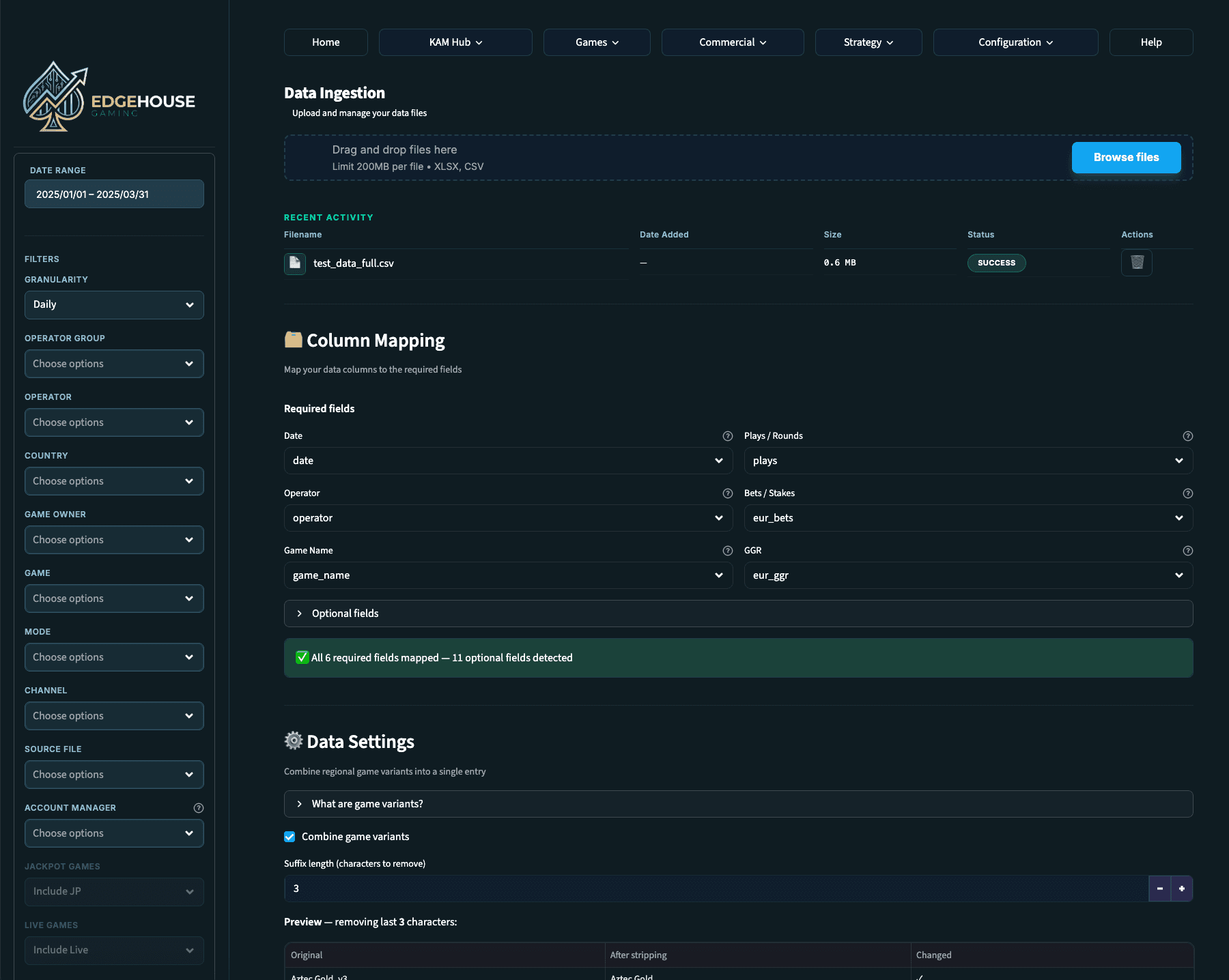
Navigate to Configuration > Data Ingestion from the top menu.
Drag and drop your file into the upload area, or click Browse Files to select it from your computer.
Once uploaded, the Column Mapping section appears. The dashboard intelligently detects common column names and maps them automatically.
Review the mappings and adjust any that need correcting. Required fields are Date, Operator, and EUR Bets.
Optional fields like Country, Channel, Unique Players, and Jackpot data will unlock additional features when mapped.
Below column mapping, configure Data Settings for game name sanitisation, suffix trimming, and other processing options.
Uploading Multiple Files
You can upload multiple data files and Edgehouse Gaming will automatically combine them. Each row is tagged with the source file it came from, so you can use the Source File filter in the sidebar to isolate data from a particular upload.